 ModelHop
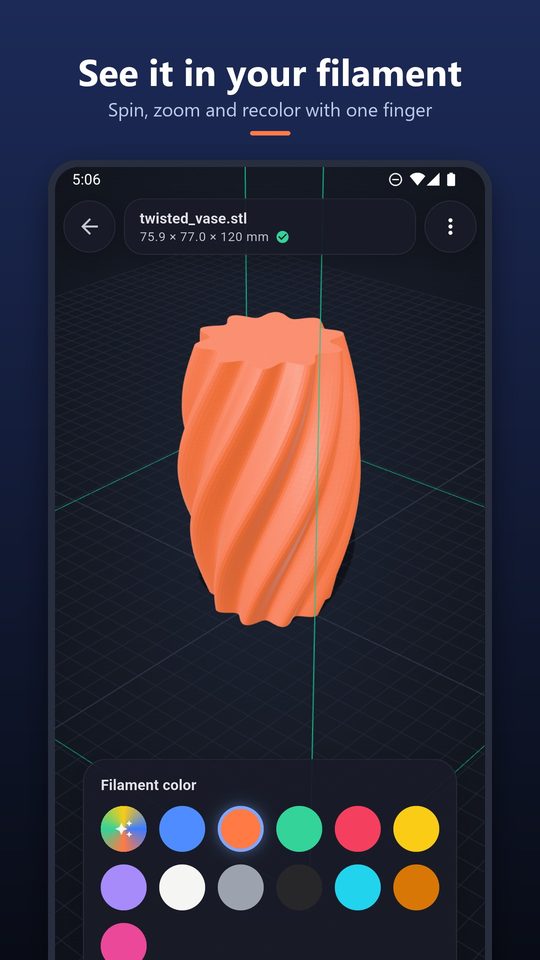
Opens every common 3D file
STL, 3MF, OBJ with materials, PLY, GLB, FBX and G-code, rendered on the GPU so even big meshes spin smoothly. Recolor it in your filament color.
Open a model from Discord, Drive or a ZIP download and know before you print: its exact size, whether it fits your printer, and how much filament, money and time it takes.
Coming soon to Google PlaySTL · 3MF · OBJ · PLY · GLB · FBX · G-code · ZIP. No account. Works offline.

STL, 3MF, OBJ with materials, PLY, GLB, FBX and G-code, rendered on the GPU so even big meshes spin smoothly. Recolor it in your filament color.
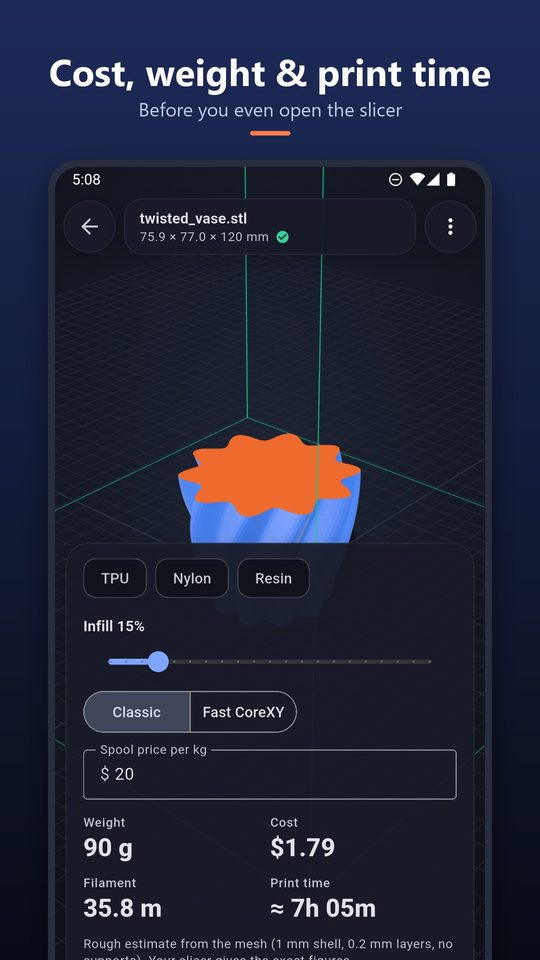
Pick PLA, PETG, ABS, ASA, TPU, Nylon or resin, set infill and spool price, and get grams, metres, cost and an estimated time.
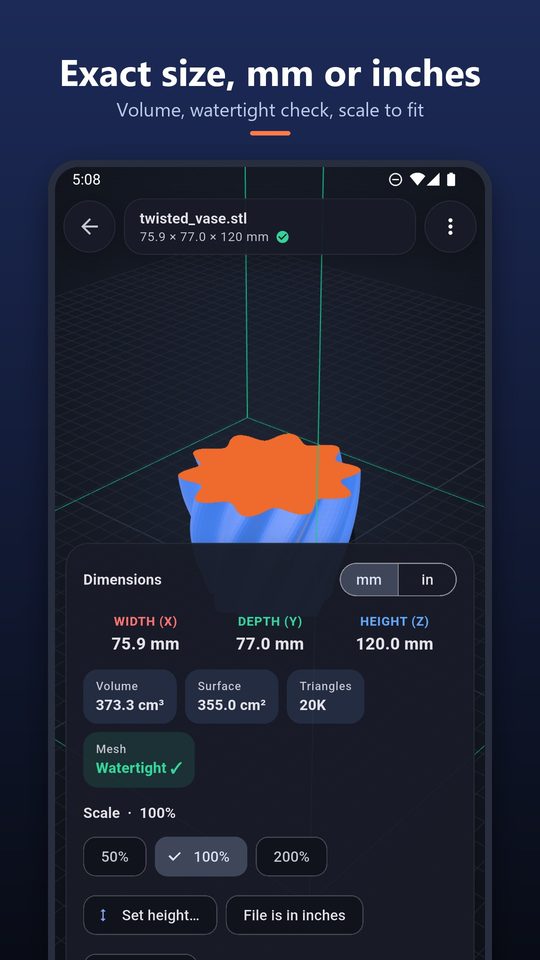
Width, depth and height in mm or inches, volume, surface area and open edges. Scale by percent or to a target height.
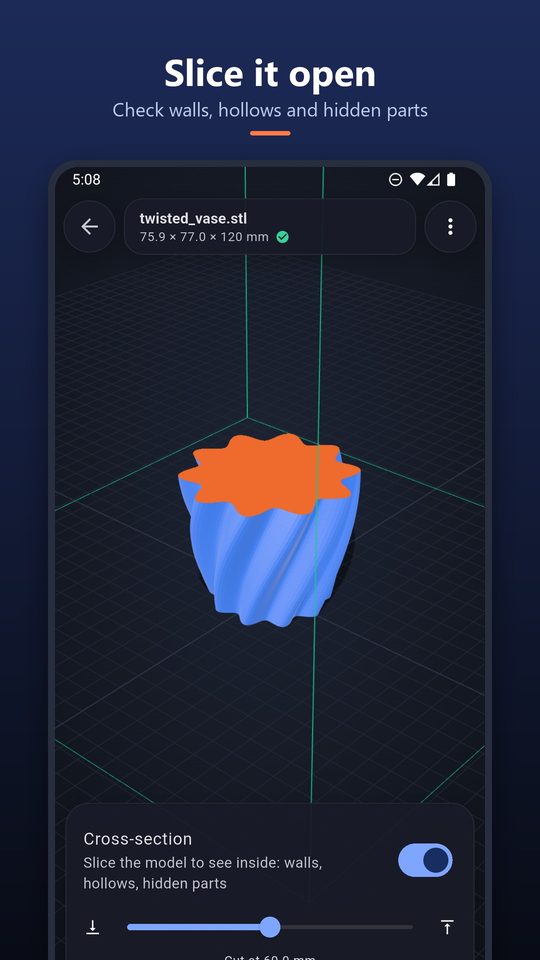
A cross-section slider shows walls, hollows and hidden parts. Switch to edges, wireframe or X-ray.
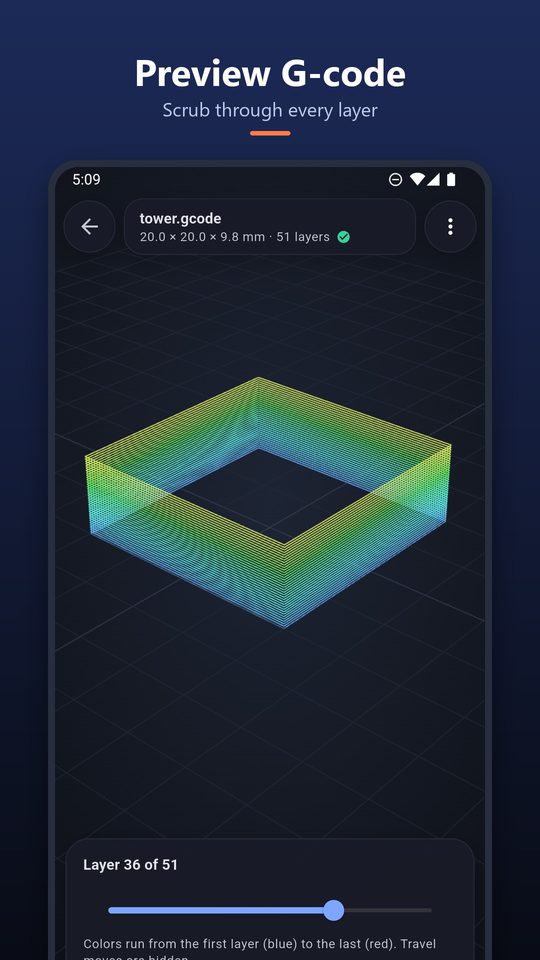
Scrub through every layer of a sliced file, colored from the first layer to the last.
Choose your printer and ModelHop draws the build volume around the model. It tells you whether the model fits as it stands, or would fit lying on another side. Built in: Bambu Lab A1, A1 mini, P1S/X1C, Creality Ender-3, K1 and K1 Max, Prusa MK4 and MINI+, Elegoo Neptune 4, Anycubic Kobra 2 and popular resin printers.
Yes. Every feature is free: viewing, measuring, the printer fit check, cost and time estimates and export. The app shows ads, but never when you open a file and never on top of the 3D view.
STL (binary and ASCII), 3MF, OBJ with its MTL materials, PLY, GLB and glTF, FBX and G-code (.gcode, .gco). ZIP files are unpacked so you can pick a part.
No. STEP and native CAD files describe exact curves, not meshes. Export an STL or 3MF from your CAD app and open that.
They are estimates from the mesh, assuming a 1 mm shell, your infill, 0.2 mm layers and no supports. They are good for quotes and for comparing models; your slicer gives the exact figures.
No. ModelHop reads, shows and measures your files on the phone and works offline. There is no account and no server that receives your files.
Tap the file, choose Share or Open with, and pick ModelHop. You can also tap Open 3D file in the app and browse to it.